I was paying €19/month for a pretty pie chart that couldn’t tell me what I bought. So I rage-coded a solution using Next.js, AI, and Puppeteer.
Let me set the scene. It wasn’t a dramatic explosion; it was the quiet, simmering rage of an evening. I was sitting at my desk, lukewarm tea in hand, bathed in the soft glow of my laptop screen. I was trying to solve a mystery that plagues every modern household: Where exactly did €295.84 go last month?
The budget app I was subscribed to, let’s call it “ExpensiveTracker Pro”, was mocking me. It displayed a sleek, animated pie chart, rendered in tasteful pastels. It was beautiful. It was responsive. It was utterly useless.
There, slicing through the “Groceries” and “Utilities,” was a massive grey wedge labeled simply:
“Miscellaneous: €295.84”
Miscellaneous. The word itself felt like an insult. In the world of data, “miscellaneous” isn’t a category; it’s a surrender. It’s the software shrugging its shoulders.
I clicked deeper, desperate for a clue. The transaction detail offered me this helpful string of gibberish: XXXXX-XXXXX-XXXXX AMAZON MARKETPLACE YYYY-YYYYY.
Now, to be fair, this isn’t entirely the app’s fault. That cryptic string is exactly what the bank statement provides. Banks are notorious for stripping away context until only a raw, useless identifier remains. But isn’t that exactly why we pay for “smart” budget tools? To solve the problems the banks create?
Instead, the app just mirrored the bank’s laziness. It didn’t know if I bought a car seat, a coffee machine, or a birthday gift. It had done its job: it had recorded a number. Context was apparently not part of the premium feature set.
And that was the kicker. I was paying almost €20.00 a month for this. I was renting a tool that was worse at tracking my spending than a spreadsheet I could build in an hour.
I sat back and looked at the code editor open on my other monitor. I spend my days architecting complex, resilient web applications for enterprise clients. I solve hard problems for a living. So why was I settling for software that treated my family’s financial health like a black box?
The tea was cold. The pie chart was still useless. And I was done settling.
My Journey Through Budget App Hell
Before I tell you about the solution, let me share the pain. Maybe you’ve been there too.
-
App #1: The Minimalist. Beautiful design. Clean interface. Did literally nothing. You could add transactions manually, one at a time. No import. No categories. Just… vibes, I guess? Uninstalled after 2 days.
-
App #2: The Kitchen Sink. This one did everything. Investment tracking, crypto portfolios, goal setting with gamification, social sharing (because I totally want my friends to know I spent €43 at the Lego store). I felt like I needed a certification just to set up a simple budget. Took me 3 hours to configure before I gave up.
-
App #3: The Method Evangelist. This app didn’t just want to track my money; it wanted to convert me to a religion. It forced a strict “Give Every Cent a Job” framework. ideally, it works wonders. Practically? Try explaining to a chaotic family that we can’t buy cough medicine because the “Pharmacy Envelope” is empty and we need to hold a family council to move funds from “Vacation.” The sums never added up, and I spent hours chasing “ghost money” that simply didn’t exist.
-
App #4: ExpensiveTracker Pro. This was the “best” one. Import worked… sometimes. Categories existed… sort of. But the AI categorization was hilariously bad; it once categorized my electric bill as “Entertainment.”
But the thing that drove me crazy about all of them was Amazon transactions.
The root cause is strictly how these transactions get booked by the bank. On my statement, every single one showed “AMAZON MARKETPLACE” with a random order number. That’s it. No item details. No way to know if it was groceries, electronics, or that weird impulse purchase at 2 AM.
PayPal transactions are just as bad, if not worse. The bank statement often gives you a string of gibberish that is completely useless for identifying the transaction on the PayPal website. You can’t even copy-paste a reference number to find it; you have to triangulate based on date and amount like a forensic accountant just to figure out if you paid for a subscription or a t-shirt.
I found myself manually opening Amazon or PayPal, searching for orders, writing down what I bought, and then categorizing it.
For. Every. Single. Purchase.
There had to be a better way.
Vacation Brain + Developer Stubbornness = The Perfect Storm
Last December, I took some time off. You know that week between the holidays and New Year when nobody knows what day it is and you’re in this weird liminal space? Perfect for coding.
The world outside had slowed down, but inside my apartment, it was absolute maximum velocity. With three daughters home for the holidays, “quiet” was just a rumor from a previous life. The work emails had stopped coming, sure, but they were replaced by a high-bandwidth stream of snack requests, toy disputes, and Frozen on repeat.
I had plans to organize the house, maybe finally read that stack of books on my nightstand. But my mind kept drifting back to that “Miscellaneous” wedge. It felt like a loose thread in a sweater-ignoring it felt impossible.
I didn’t want a hackathon. I didn’t want to grind. I just wanted clarity.
So, I made a quiet pact with myself. I wouldn’t sacrifice the slow, lazy days of vacation. I wouldn’t miss the winter walks or the movie marathons. Instead, I would trade a few hours of sleep for peace of mind.
Four nights. No deadlines, no stand-ups, just the joy of building something that actually solved a problem.
Challenge accepted.
Night 1: The Foundation
It was late in the evening. The house was finally quiet. The only light came from the holiday tree in the corner and my terminal. I cracked my knuckles and dove in.
But I didn’t start from scratch. I’m a developer, which means I have a cheat code. I already had Antigravity set up with an AI Pro account, giving me immediate access to Gemini 3 Pro.
This changed everything. Connecting Vercel and MongoDB Atlas didn’t take hours; it took minutes. I had a perfectly working, production-ready environment before my tea even cooled. No config hell, no infrastructure headaches. Just instant, serverless power.
With the scaffolding practically building itself, I moved straight to the data. I grabbed our last bank statement, a beautifully terrible German CSV with dots as thousands separators and commas as decimals. PapaParse handled it like a champ.

By the end of the session, “Night 1” was basically done. I had a fully functional app, a database populated with transactions, and a UI that actually looked good. I crawled into bed, feeling almost guilty about how easy it was.

Night 2: Teaching Machines to Read My Mind (The AI Integration)
The next day was full of family chaos, but in the back of my mind, I was already solving problems. I could barely wait for everyone to go to sleep. Once everyone was asleep, I was back in the chair.
The big question was: could I teach an AI to categorize my grocery runs differently from my tech shopping sprees?
I hooked up the OpenAI API, starting with gpt-4o-mini for basic categorization. I fed it a transaction: REWE SAGT DANKE 2847, €47.32. The AI came back instantly: Category: Groceries. Payee: REWE.
Holy shit. It actually understood German payment terminals.

But then, staring at the screen late that night, I hit the wall. “AMAZON MARKETPLACE” repeated 15 times. I was tired, frustrated, and about to give up on that part. But then I realized… the transaction description contains the Order Number.
What if I could automatically open that order page, scrape what I actually bought, and have AI categorize it properly?
It was a terrible idea to start a complex scraping project at that hour. Naturally, I did it anyway.
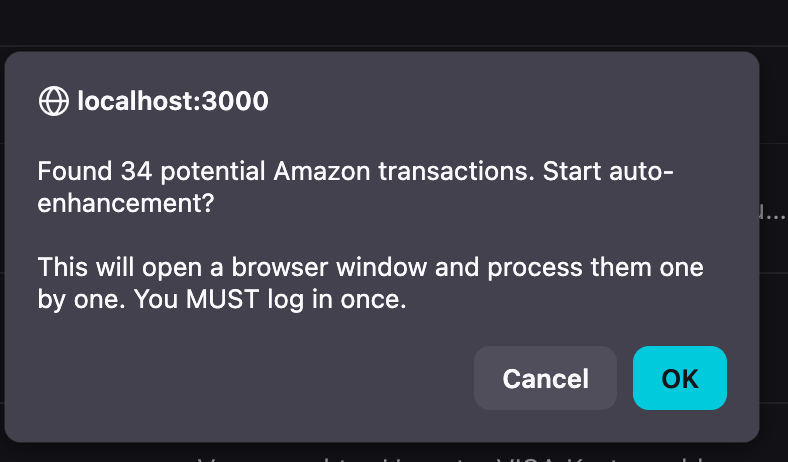
I spent the next few hours wrestling with Puppeteer. The plan was simple but ambitious: detect Amazon order numbers with regex, launch a browser, scrape the order page, and feed it to GPT-4o.
It took hours of debugging, but just before the sun started coming up, I had a breakthrough. A Firefox window popped up, navigated to my Amazon order page, and grabbed all the text. I immediately fed the scraped data to GPT-4o with this prompt: “Here’s an Amazon order page. Tell me what I bought and categorize it properly.”
Result: Amazon: Anker USB-C Cable 3-Pack, Phone Stand - Category: Electronics > Accessories
I did a silent victory dance in the dark office so I wouldn’t wake the house.
Night 3: Polish, Performance, and “Can I Actually Use This?”
The fatigue was setting in, but I was too close to stop. Night 3 started with the dashboard. I integrated Recharts to visualize the damage. Seeing our monthly spending trends and category breakdowns was… sobering. (Apparently, we spend a LOT on coffee.)
Late into the session, I tackled the unsexy but necessary “Great Filter Refactor.” I added search, date ranges, and category filters. TanStack Query made the caching and pagination logic almost trivial, saving me hours of headache.
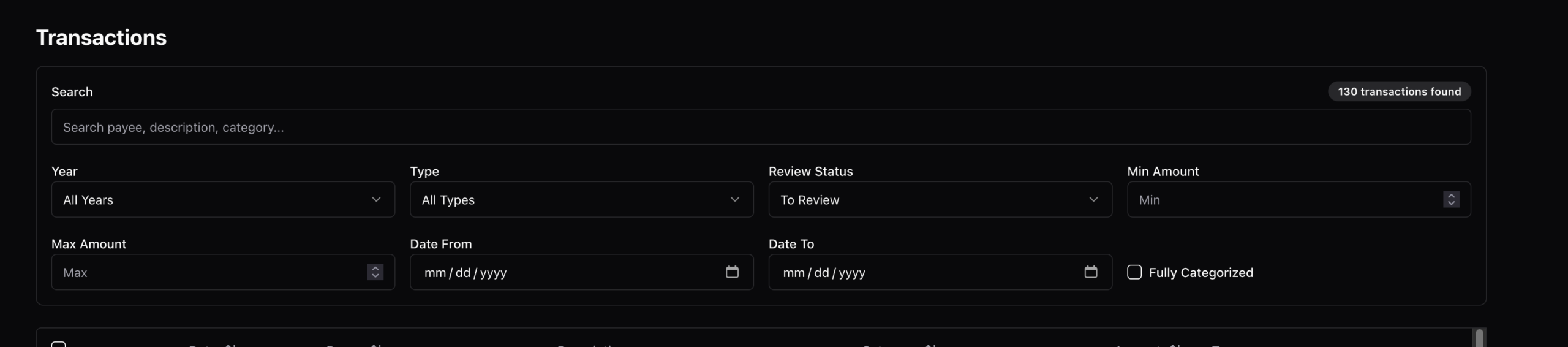
Eventually, it was time to verify my work. I imported months and months of history (2,847 transactions) and watched the system go to work. The AI handled about 80% of it automatically.
But there was a problem. The other 20%? It was stuff I simply didn’t recognize. “PAYPAL *X1938”. “KLARNA 1029”. I knew what I had to do next.
Night 4: The Plugin System
It was mid-afternoon on Day 3 (okay, not technically night, but I was coding in spirit). I’d just finished the Amazon scraper prototype. It was working beautifully, enhancing transactions right in the list with a clickable badge.
But then I scrolled down and hit a wall of “PAYPAL *X1938” entries.
The Amazon approach, detecting an ID and scraping a page, wouldn’t work here. The bank statement didn’t have enough data to scrape anything. To fix PayPal, I needed to ingest a full data export from PayPal’s website and reconcile it against the bank records date-by-date.
This wasn’t an inline enhancement. This was a whole separate tool.

I realized I had two very different types of features, and I needed an architecture that could handle both without turning into a spaghetti-code mess.
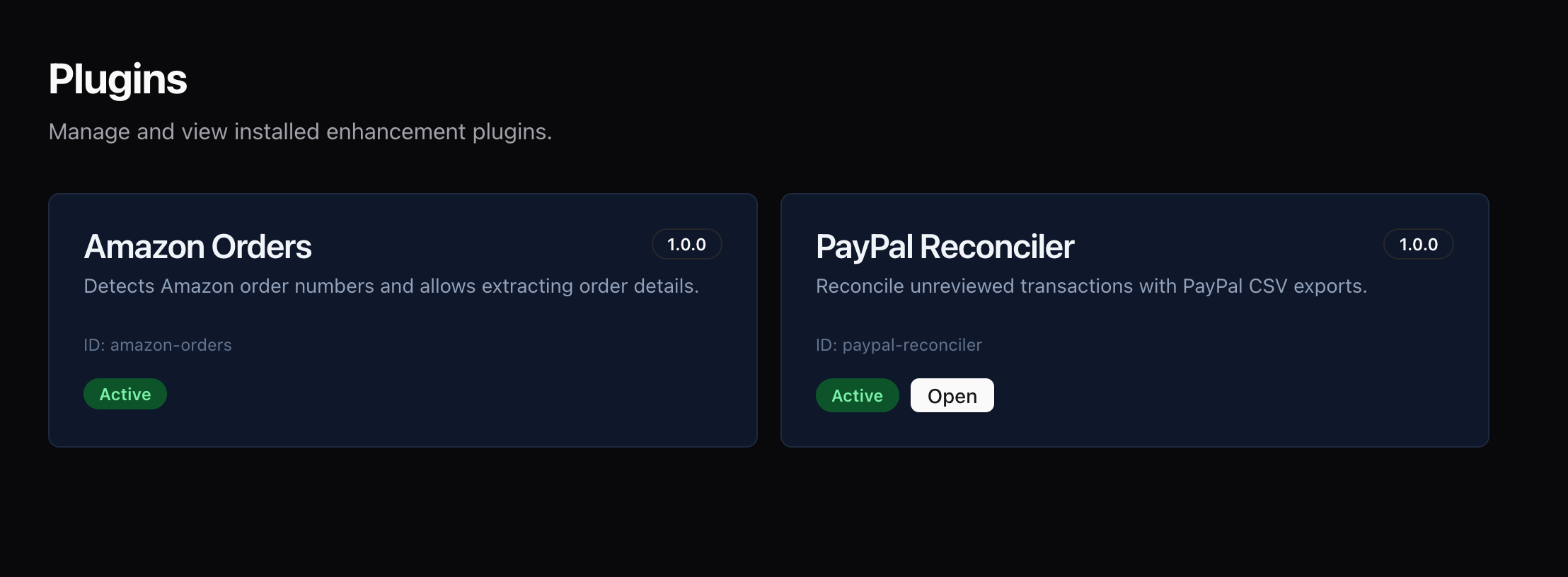
So, I spent Night 4 building the Plugin System.
-
Refactored Amazon: I turned the scraping script into a proper “Enhancer Plugin”.
-
Built PayPal: I created a “Tool Plugin”, a dedicated page for uploading and processing CSVs.
-
Added Collaborative Mode: I integrated Clerk and built a “Transactions Review” queue so we could handle shared expenses and categorization asynchronously.
I deployed the final build just before sunrise.
How AI Built 70% of This App
The Confession Nobody Wants to Make
Here’s the truth that most developers won’t tell you about their “I built it in 4 nights” projects:
I didn’t build this alone.
I had help. Lots of help. From Google’s Gemini 3 Pro and Antigravity.
And before you think “oh, so you just copy-pasted AI code”, let me tell you exactly how this worked, because the reality is way more interesting than that.
Ni The Moment I Decided to Cheat
I was staring at my empty Next.js project. I had the idea: family budget app with AI categorization. I knew what I wanted. I just needed to… you know… build it.
Then I thought: “Wait. Why am I going to spend 3 hours setting up MongoDB schemas, API routes, and TypeScript types when I could just ask Gemini to do it?”
So I opened Antigravity, the AI coding assistant, and typed a prompt asking for a MongoDB schema for financial transactions. 30 seconds later, I had perfect TypeScript interfaces and schema definitions.
That’s when I realized: this vacation project just became a speedrun.
The AI Development Workflow
Here’s how I actually used Gemini and Antigravity during the build:
Level 1: Scaffolding (AI: 90%, Me: 10%)
For basic setup, boilerplate, and repetitive code, I let AI do almost everything. I asked it to set up API routes for CRUD operations with error handling, and it generated perfectly structured files.
This saved me probably 2 hours on Night 1. All that boilerplate, API routes, database connection, types, done in minutes instead of hours.
Level 2: Feature Implementation (AI: 70%, Me: 30%)
For actual features, it was more collaborative. I’d ask it to build a CSV import wizard, and it would generate the UI and handlers. Then I’d review it and realize it missed something specific, like German number formats. I’d ask it to modify the parser for dots and commas, and it would update the logic instantly.
This back-and-forth was the real workflow. AI gave me the 80% solution fast, I caught the edge cases and domain-specific requirements.
Level 3: Complex Logic (AI: 40%, Me: 60%)
For the really tricky stuff, like the Amazon Puppeteer scraper, I was mostly in the driver’s seat.
I asked Gemini for basic Puppeteer setup, but the real Amazon logic, handling logins, waiting for specific elements, extracting nested text-required my architectural guidance. I spent hours iterating, telling the AI “use persistent browser profiles” or “wait for this specific text,” until we got it right.
The Lesson: For complex, real-world problems, AI gives you building blocks. You still need to architect the solution.
Level 4: Debugging (AI: 90%, Me: 10%)
This is where AI absolutely shines. Pasting a stack trace and asking “why is this failing?” yielded instant answers. It correctly identified issues like date parsing errors or missing checks that would have taken me 20 minutes to hunt down manually.
The Gemini 3 Pro Superpowers
While Antigravity was my IDE assistant, Gemini 3 Pro was my architectural consultant:
Architecture Discussions I asked it how to support both inline enhancers (like Amazon) and standalone tools (like PayPal) in one system, a conversation that shaped the entire plugin architecture and saved me from a messy refactor later.
Learning New APIs I’d never used Puppeteer with Firefox before. Instead of reading docs for hours, I asked Gemini for an example, copied the code, adjusted it, and it worked on the first try.
What AI Was REALLY Good At
Let me be specific about where AI saved the most time:
-
✅ Boilerplate Code (90% time saved): Interfaces, API routes, DB setup.
-
✅ Format Conversions (95% time saved): CSV parsing, date formats, number handling.
-
✅ Pattern Implementation (80% time saved): “Implement infinite scroll,” “Add debounced search.”
-
✅ Debugging (70% time saved): Stack trace analysis is a superpower.
What AI Was TERRIBLE At
But here’s what AI couldn’t do:
-
❌ Product Decisions: Should this be a plugin or a core feature? How many clicks is too many?
-
❌ Domain-Specific Logic: German bank CSV quirks, Amazon order patterns, PayPal reconciliation logic.
-
❌ Creative Problem Solving: The idea for the Amazon plugin? That was me frustrated late at night.
-
❌ Integration Testing: “Does the CSV import work with my bank’s export?” I had to do that manually.
-
❌ Performance Intuition: AI suggested loading all 2000 transactions at once. I caught that and switched to infinite scroll.
The Honest Breakdown: Who Did What?
If I’m being completely honest about the ~70 hours of coding:
Gemini/Antigravity (60 hours worth of work):
-
All TypeScript interfaces and types
-
90% of API route structure
-
80% of React component scaffolding
-
Most of the CSV parsing logic
-
Basic Puppeteer setup
-
Error handling patterns
Me (10 hours of actual work):
-
Product decisions and UX
-
Domain-specific logic (bank formats, Amazon patterns)
-
Complex workflows (Puppeteer + AI pipeline)
-
Integration and testing
-
Architecture decisions
-
Git commits and deployment
The Math:
-
Without AI: ~70 hours of work
-
With AI: ~10 hours total (of intense “thinking”)
But here’s the thing: Those 10 hours were the HARD hours. The creative hours. The hours that required judgment, experience, and domain knowledge. AI did the grunt work. I did the thinking.
The Partnership: Humans + AI
Here’s how I think about it: Without AI: I’m a solo developer building features one by one. With AI: I’m a tech lead directing a tireless developer who types really fast.
I still make all the decisions. I still review all the code. I still handle the hard problems. But I don’t waste time on boilerplate anymore. And honestly? That’s made me a better developer. I spend more time thinking about architecture and less time fighting with TypeScript syntax.
The future of development isn’t “AI or humans.” It’s “AI + humans.”
The Complete Feature List
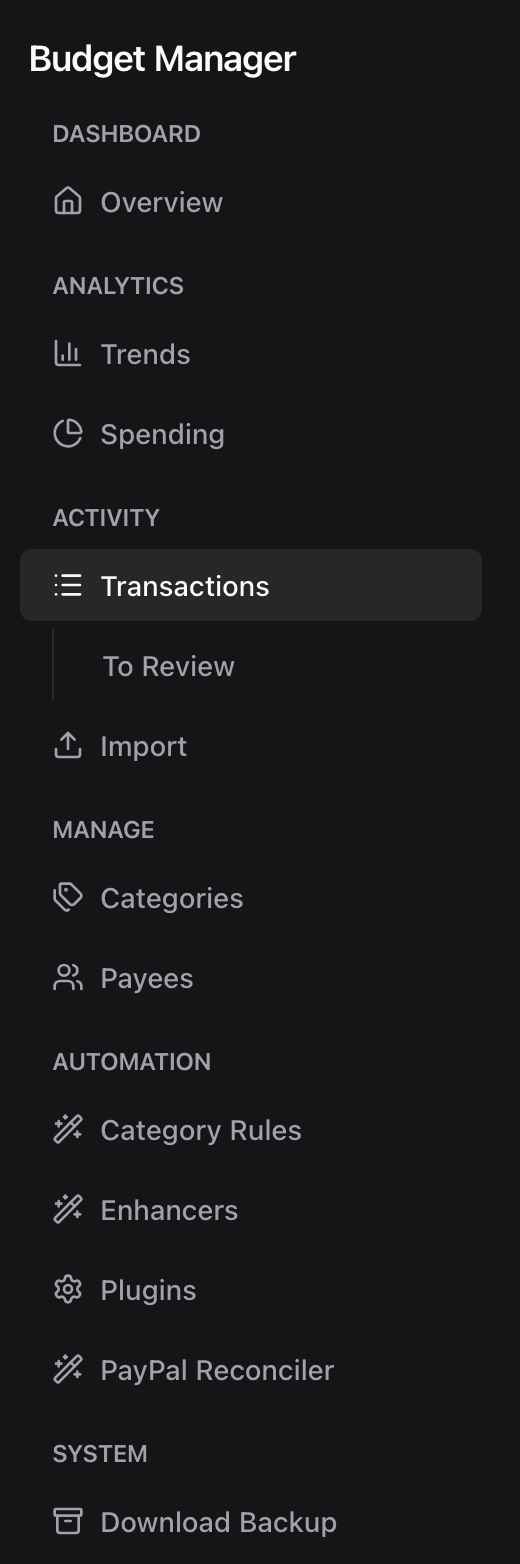
If you’re wondering “what exactly did you build in 4 nights?”, here is the complete breakdown. It turns out when you cut out the boilerplate, you can ship a lot of features.
Core Transaction Management
Smart CSV Import
-
One-click bank statement import - Upload your bank’s CSV export and get started in seconds
-
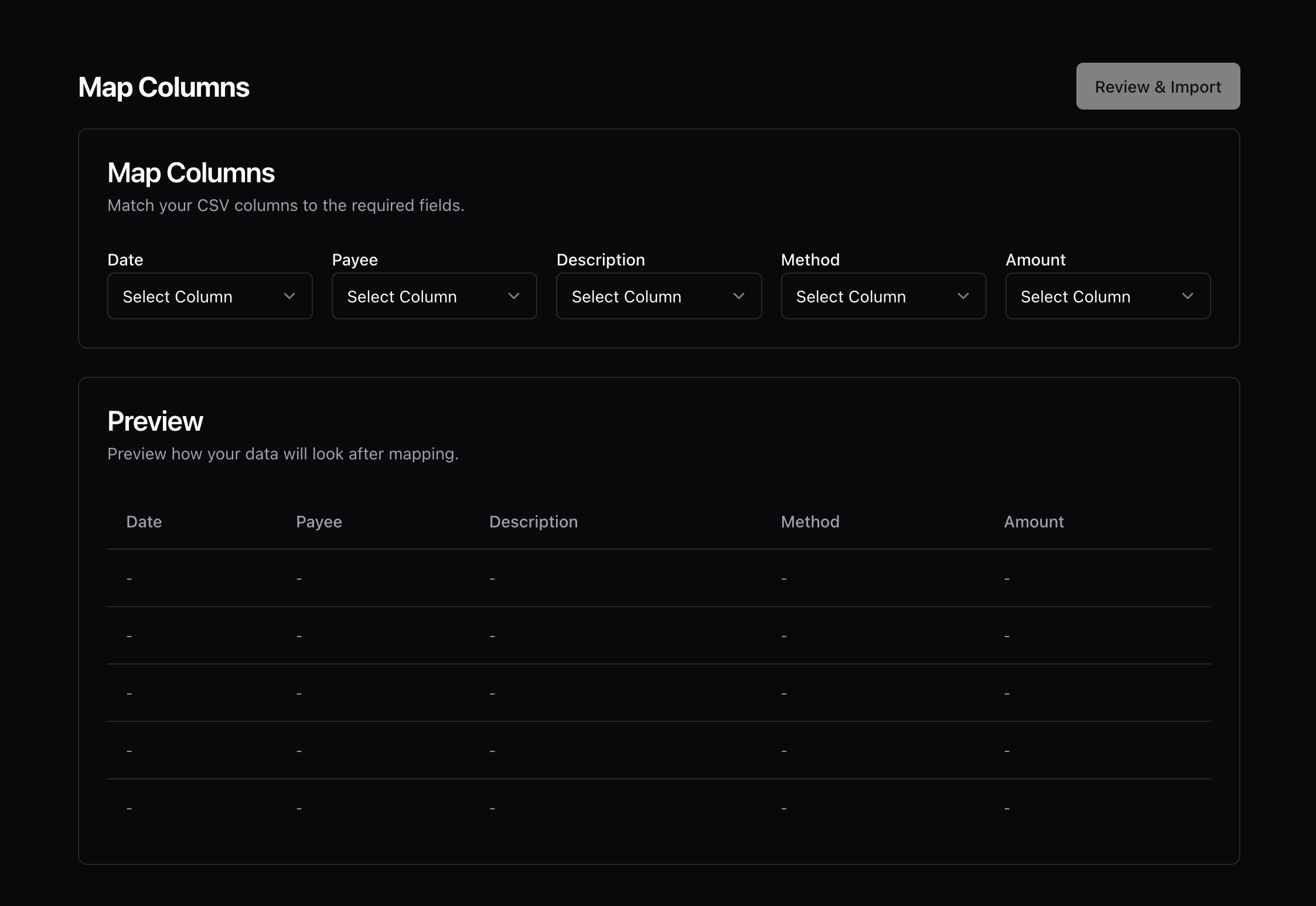
Intelligent column mapping - Visual interface to map your bank’s columns (date, amount, description) to the app’s format
-
German number format support - Automatically handles dots as thousands separators and commas as decimals (e.g., “1.234,56” → 1234.56)
-
Preview before import - See exactly what will be imported with a 20-row preview
-
Duplicate detection - SHA-256 hash-based deduplication prevents importing the same transactions twice
-
Bulk import statistics - Shows how many transactions were added vs. skipped as duplicates
Transaction List & Management
-
Infinite scroll loading - Smoothly load transactions as you scroll (50 at a time)
-
Real-time data updates - React Query caching with automatic invalidation
-
Multi-account support - Separate transactions by bank account or credit card
-
Hash-based identity - Each transaction has a unique hash for reliable duplicate detection
-
Original data preservation - Keeps original payee names even after cleanup for reference
-
Full-text search - Search across payee, description, and transaction details
-
Combined filters - Use multiple filters (Date + Category + Amount) simultaneously
-
“Review” flag filtering - Find transactions that need manual review
-
URL-synced filters - All filters reflected in URL for shareable links
AI-Powered Intelligence
Automatic Categorization (GPT-4o-mini)
-
One-click AI categorization - Click a button and AI suggests the best category
-
Context-aware suggestions - AI considers transaction amount, payee, and description
-
Learns from your categories - Uses your existing category structure for better suggestions
-
Payee name cleanup - Transforms “UBER *PENDING XYZ123” into “Uber”
-
Bulk categorization - Process multiple transactions at once (10 at a time to respect rate limits)
-
English and German language support - Understands English and German merchant names and payment terminals
Smart Transaction Enhancement
-
Description improvements - Cleans up cryptic bank descriptions into readable text
-
Merchant normalization - Recognizes chains and standardizes names (e.g., “REWE SAGT DANKE 2847” → “REWE”)
-
Pattern recognition - Identifies recurring payments, subscriptions, and regular bills
Amazon Plugin: The Game-Changer
Intelligent Order Detection
-
Automatic order number recognition - Regex pattern matches Amazon order format (XXX-XXXXXXX-XXXXXXX)
-
Visual indicators - Orange Amazon badge on transactions with detected order numbers
-
Multiple orders support - Handles multiple order numbers in a single transaction
Puppeteer-Powered Scraping
-
Automated browser control - Launches Firefox to access your Amazon account
-
Persistent session management - Log in once, stay logged in (uses persistent browser profile)
-
Smart login handling - Gives you 3 minutes to complete login + 2FA on first use
-
Direct order navigation - Goes straight to the specific order details page
AI-Enhanced Order Processing (GPT-4o)
-
Complete item extraction - Scrapes all items, quantities, and details from order page
-
Smart categorization - AI analyzes what you bought and suggests appropriate categories
-
Multi-item handling - Summarizes orders with multiple items (e.g., “Amazon: Laptop Sleeve, Wireless Mouse”)
-
Real-time UI refresh - React Query invalidates cache and shows updates immediately
PayPal Reconciler Plugin
-
PayPal CSV import - Upload PayPal’s transaction export
-
Intelligent matching - Matches PayPal transactions to bank transactions by date and amount
-
Fuzzy amount matching - Handles currency conversion differences and fees
-
Date range matching - Looks for transactions within ±1 day window
-
Extract actual merchant names - PayPal CSV contains the real merchant, bank statement doesn’t
-
Description enrichment - Updates vague “PayPal Europe S.a.r.l” with “PayPal: Spotify Premium”
-
Safe operation - No new transactions created, only existing ones updated
Categories & Organization
-
Parent-child relationships - Create nested category structures (e.g., Shopping > Electronics > Computers)
-
Unlimited depth - No limit on category nesting levels
-
Visual hierarchy - Categories displayed with parent > child notation
-
Pattern-based rules - Create rules like “If description contains ‘REWE’ → Groceries”
-
Payee-based rules - “All transactions from ‘Spotify’ → Entertainment > Streaming”
-
Amount-based rules - “If amount > €1000 and contains ‘RENT’ → Housing”
-
Bulk rule application - Apply rules to all historical transactions with one click
Dashboard & Analytics
-
Summary cards - Total income, total expenses, net balance at a glance
-
Monthly trend charts - Line graphs showing spending over time (Recharts)
-
Category breakdown - Pie charts visualizing spending by category
-
Income vs. expense comparison - Side-by-side comparison of cash flow
-
Top spending categories - Which categories consume the most money
-
Largest transactions - Quickly spot big expenses
-
Merchant spending patterns - See where you shop most frequently
Description Enhancers (Regex Templates)
-
Pattern matching - Define regex patterns to detect in descriptions
-
Dynamic link generation - Convert matched text into clickable links
-
Template variables - Use {match} placeholder in URLs
-
Use Cases - Turn DHL tracking numbers, invoice IDs, or internal references into clickable links automatically
User Interface & Experience
-
Clean, minimal interface - Built with TailwindCSS and shadcn/ui components
-
Dark mode support - Easy on the eyes for late-night budgeting
-
Accessible components - Keyboard navigation, screen reader support
-
Consistent spacing - Everything aligned on an 8px grid
-
Optimistic updates - UI updates immediately, syncs in background
-
Debounced search - Search input waits for you to finish typing
-
Memoized computations - Expensive calculations cached between renders
Data Management & Security
-
MongoDB Atlas - Cloud-hosted, automatically backed up
-
Free tier usage - Typical family budget fits in 512MB free tier
-
Efficient schema - Denormalized for fast queries
-
No third-party analytics - Your data never leaves your infrastructure
-
Server-side AI calls - API keys never exposed to client
-
HTTPS only - All traffic encrypted in transit
Deployment & Operations
-
Vercel hosting - Global CDN, automatic HTTPS, instant deployments
-
Serverless functions - API routes scale automatically with traffic
-
Zero-downtime deployments - New versions deploy without service interruption
-
One-command deployment - vercel deploy and you’re live
Should You Build Your Own?
I’m writing this like “everyone should build their own budget app!” But should you?
YES, if you:
-
Are a developer who enjoys building things.
-
Want complete control over your data.
-
Have API budgets to spare (even €5/month for OpenAI).
-
Think spending a weekend coding sounds fun.
NO, if you:
-
Just want a budget app and don’t care about the tech.
-
Value your free time more than customization.
-
Are happy with YNAB or Monarch.
Be honest with yourself. Building this was FUN for me. If you’re reading this thinking “ugh, sounds like work,” just buy YNAB. But if you’re reading this thinking “I could make it even better with ”… welcome to the club.
The Final Stats
-
Development Time: 4 Nights (~10 hours coding)
-
Monthly Cost: €3-5 (OpenAI API) + €0 Hosting (Vercel) + €0 DB (Atlas) + €0 Auth (Clerk)
-
Money Saved: €15-18/month
-
Was it worth it? Absolutely.
The Tech Stack: Next.js 16, TypeScript, TailwindCSS, MongoDB Atlas, OpenAI (GPT-4o), Puppeteer, Vercel, Clerk.
I’m considering open-sourcing this if there’s enough interest. The code is a bit rough (it was a 4-night sprint, after all), but it works. Let me know if you’d like to see the repo!