· 7 min read
Stop renting your to-do list
Most good task apps cost a few euros a month, and you keep paying for as long as you use them. Your tasks live on the vendor’s servers, and moving to another app usually means losing your recurring rules, your history, or both.
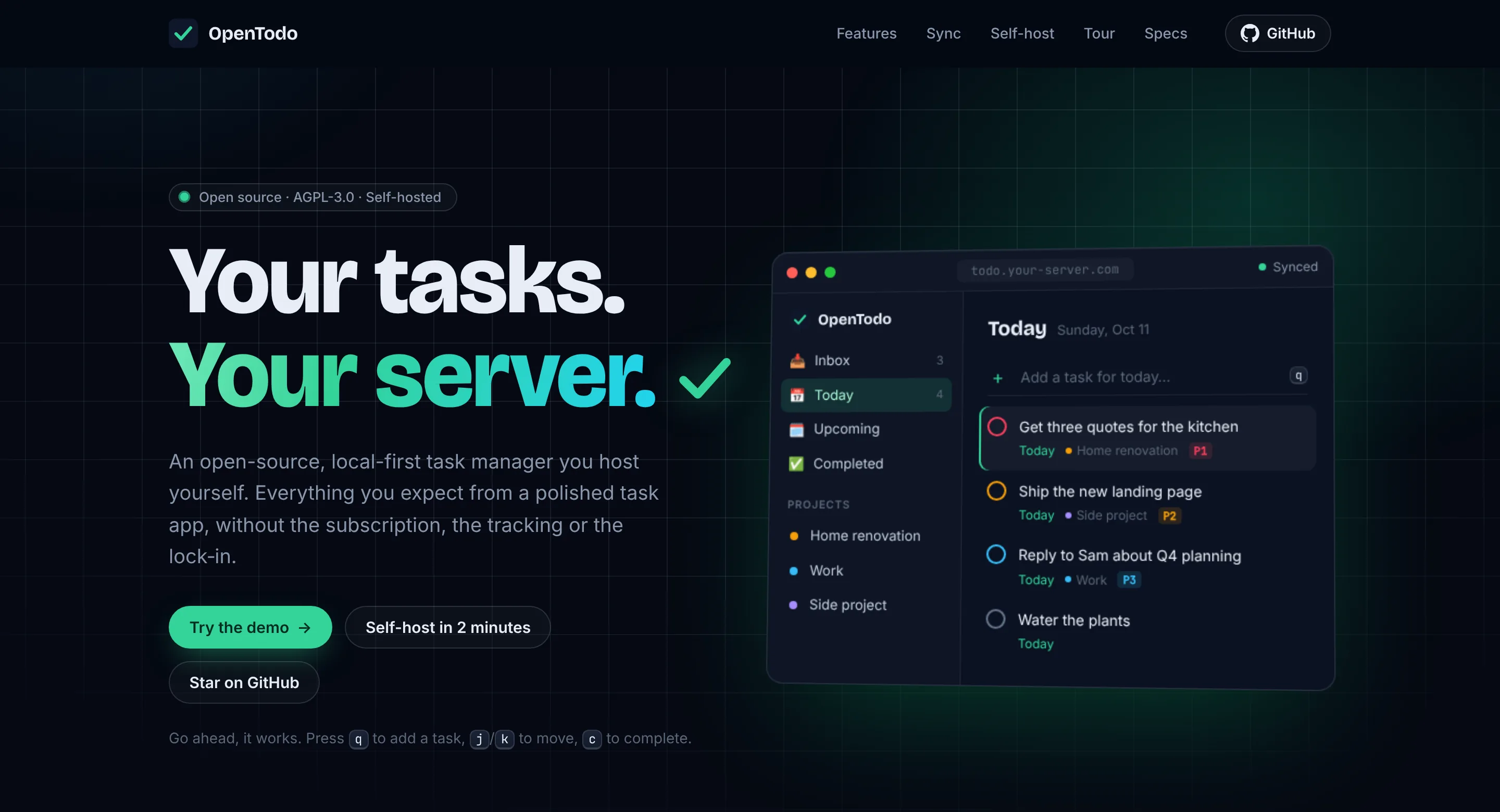
OpenTodo is a task manager with the features you’d expect from the paid apps, running on a server you control. It’s free and open source (AGPL-3.0), and version 0.1.0 came out today.
What it can do
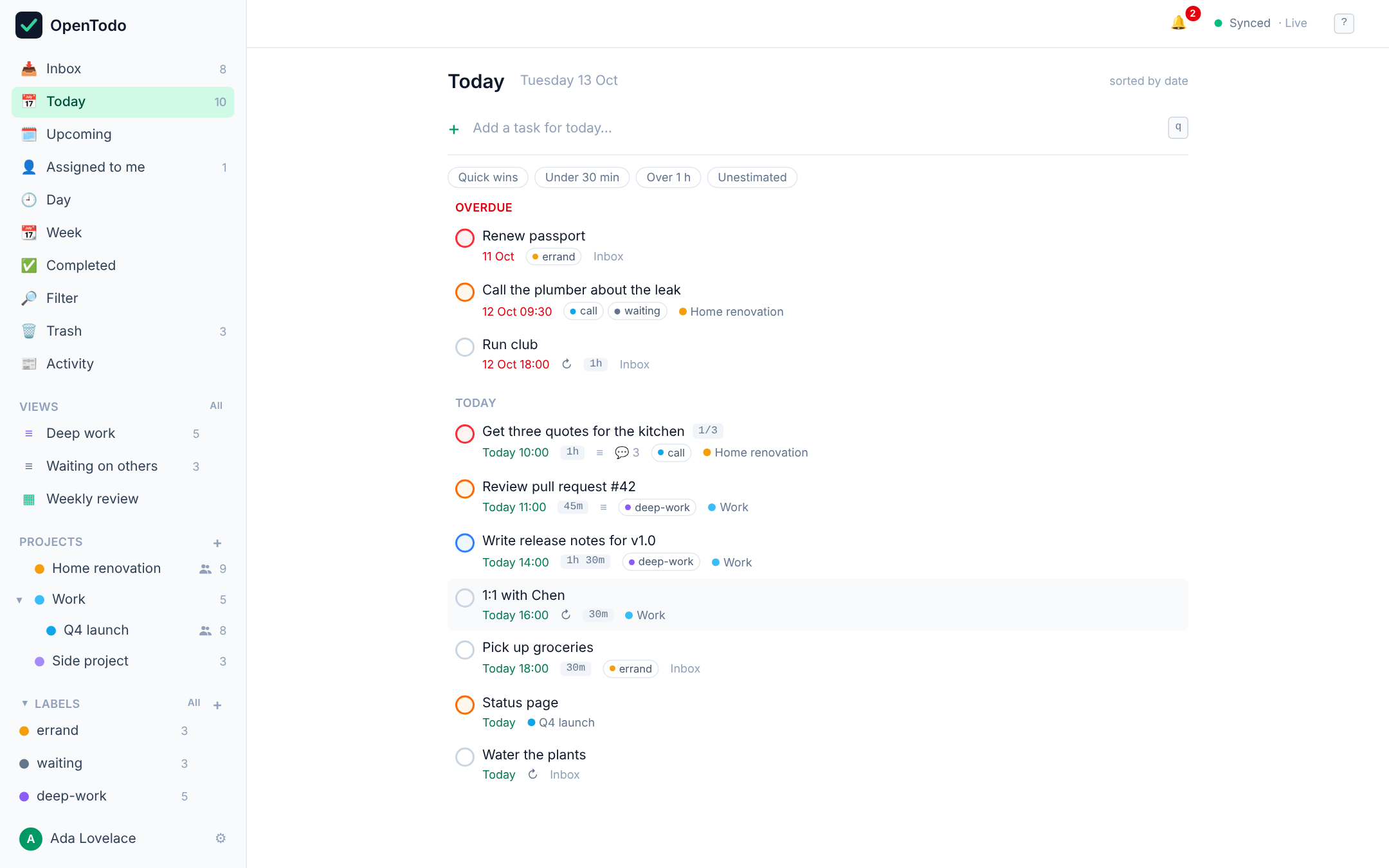
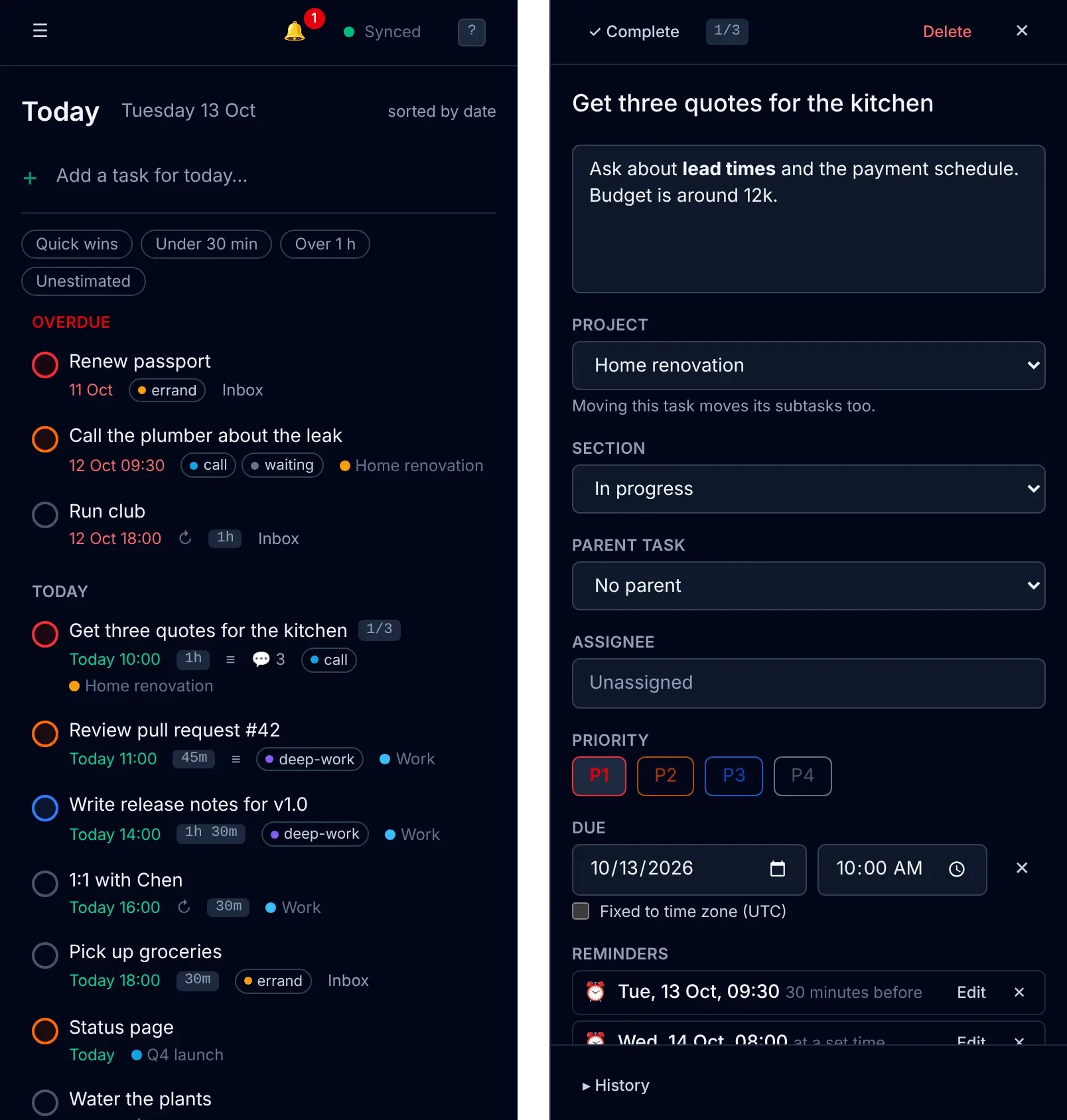
Quick add understands plain language. Typing “Call Sarah next Wed 3pm #work @call p1 +30m” creates a task with a date, a time, a project, a label, a priority and a 30-minute estimate. The parsing happens on your device, works offline and supports six languages.

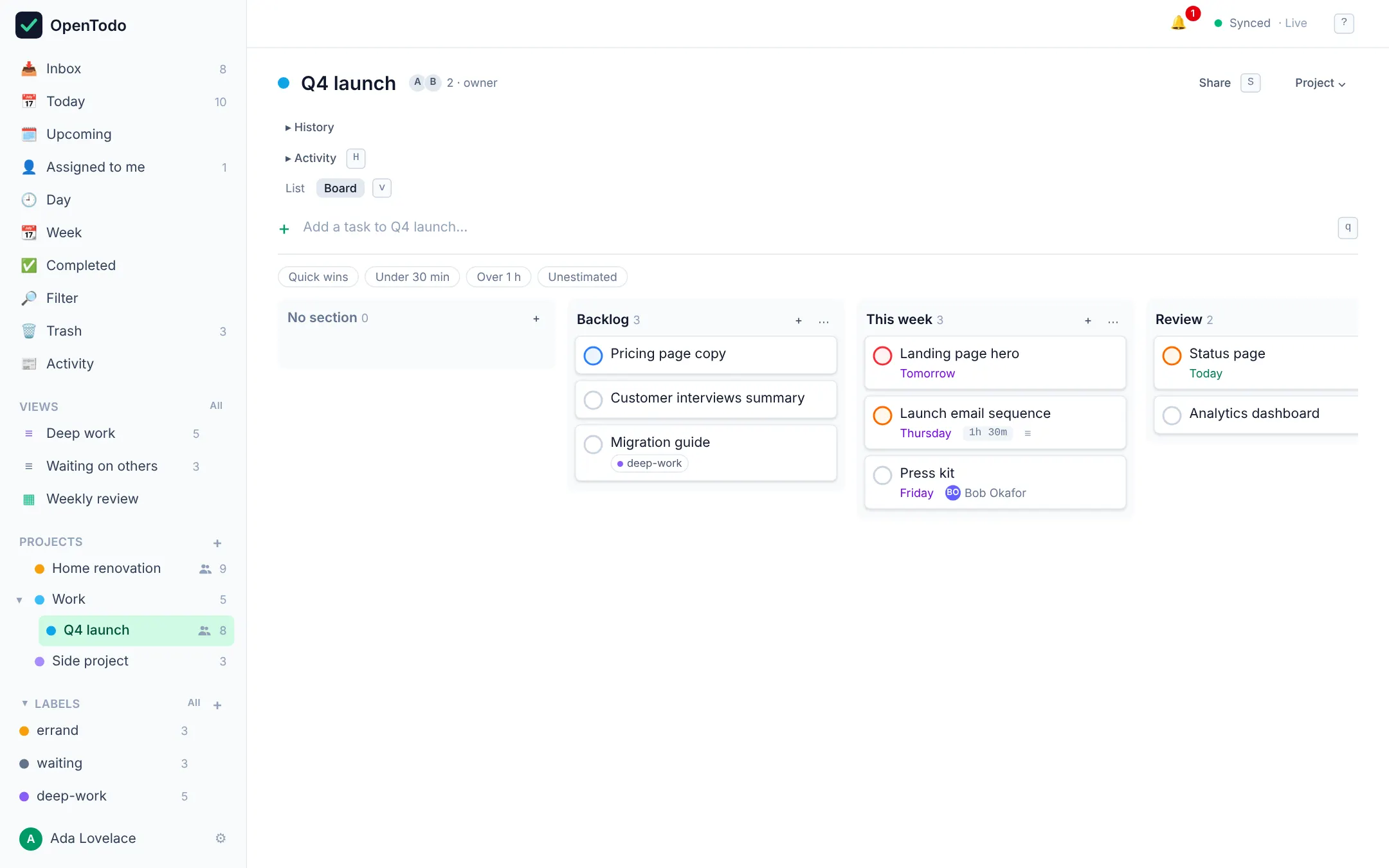
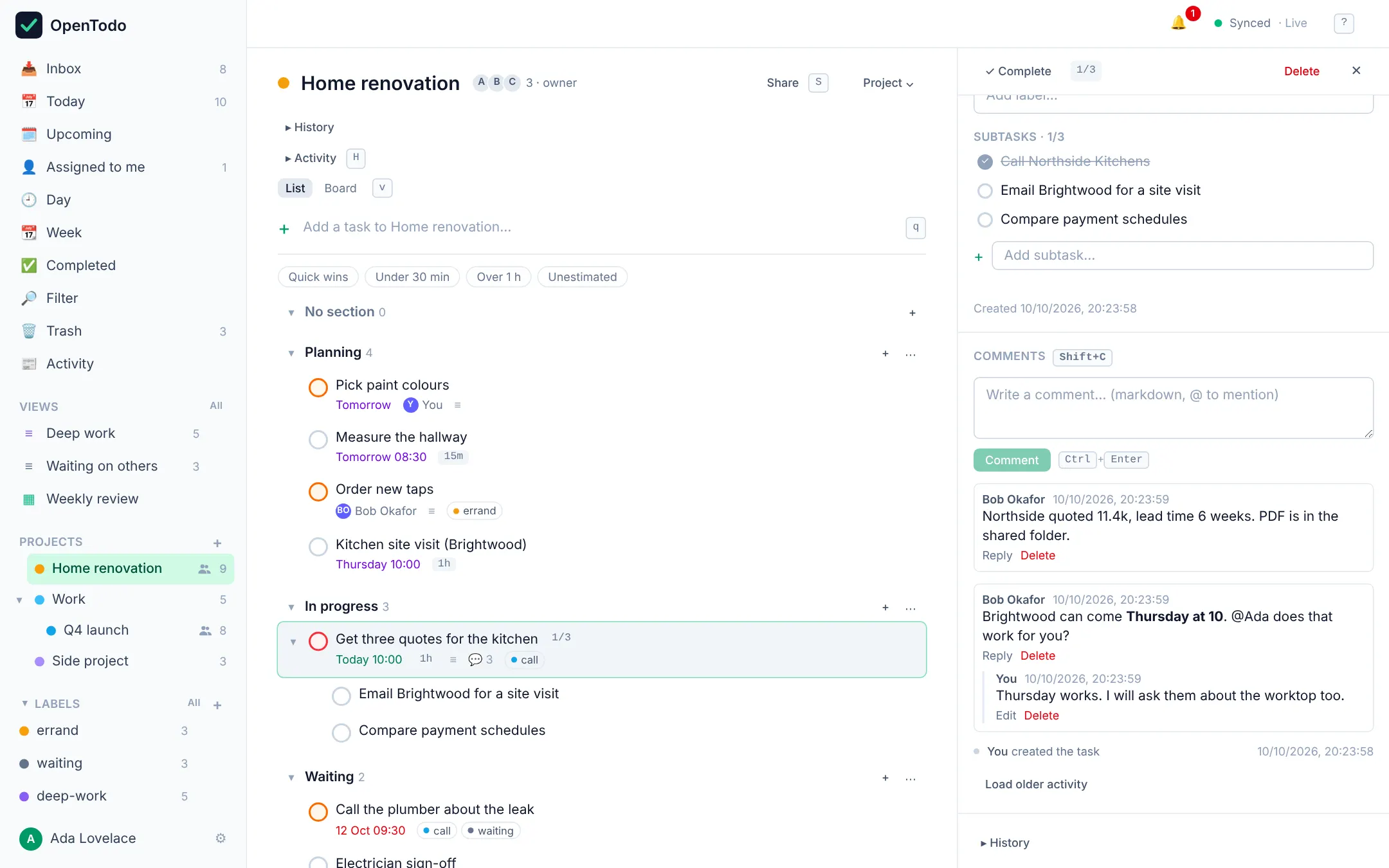
Projects can be nested, split into sections and shown as a list or as a Kanban board. Tasks can have subtasks, and the parent shows how many of them are done.
Recurring rules are written the way you’d say them: “every weekday”, “every last weekday”, “every 3 days after completion”. You can skip one occurrence without touching the rest of the series.
Reminders arrive as web push notifications on the devices you pick, with snooze and dismiss. You don’t need an account with a push vendor.
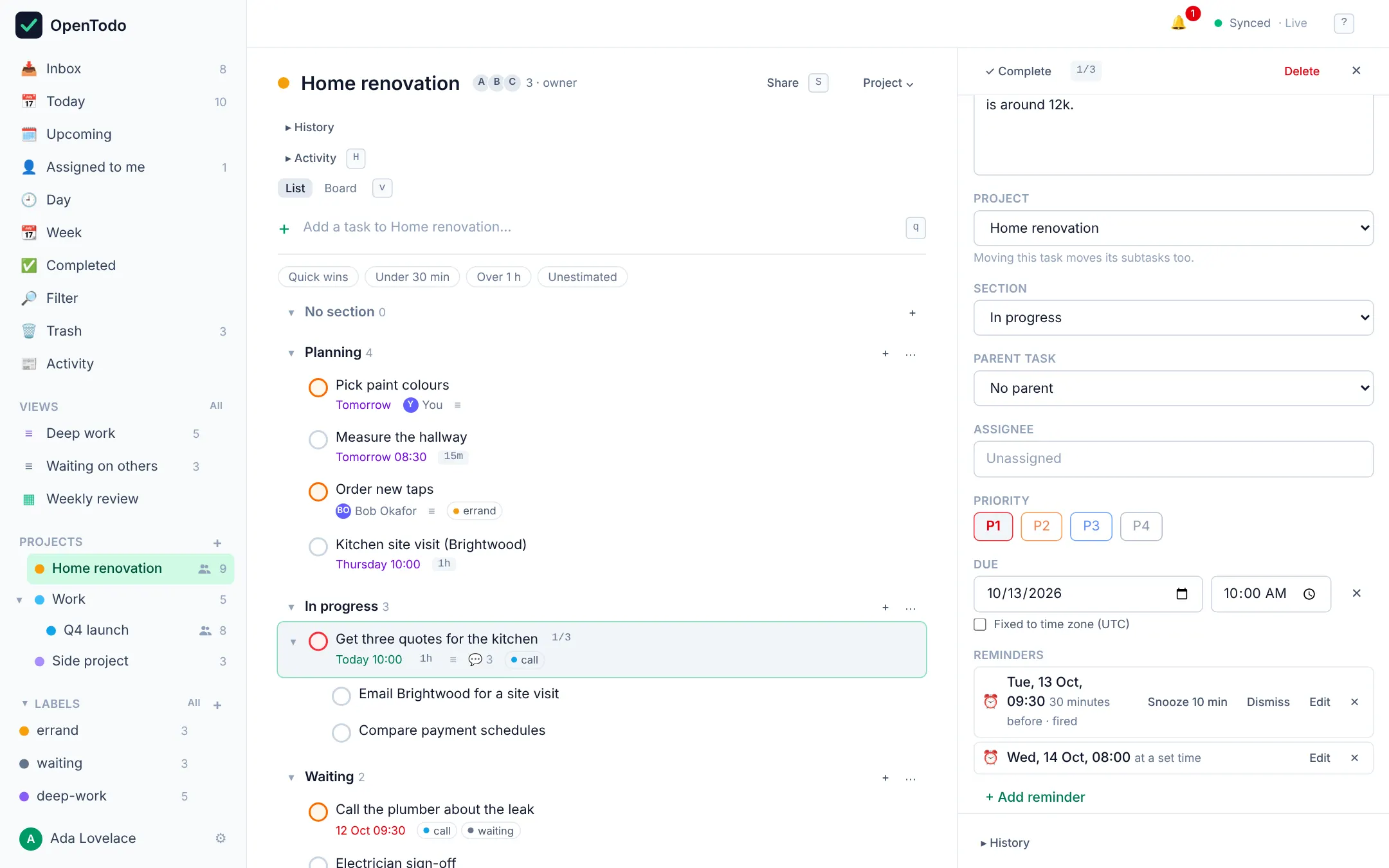
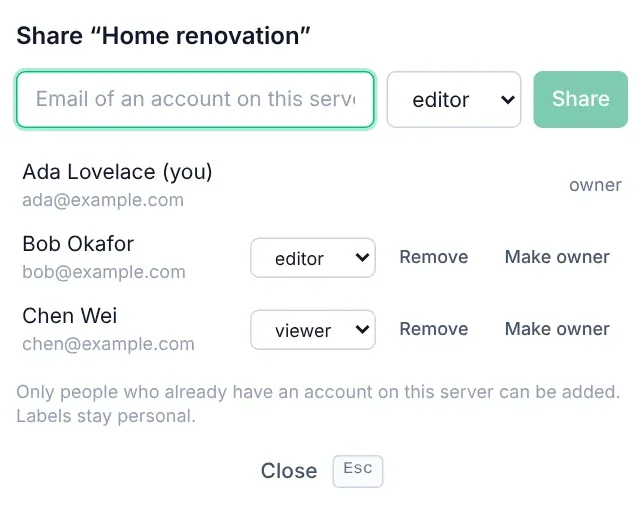
You can share a project with other people on your server as viewer, editor or admin, assign tasks to them and discuss a task in the comments with mentions. An activity feed shows what changed.
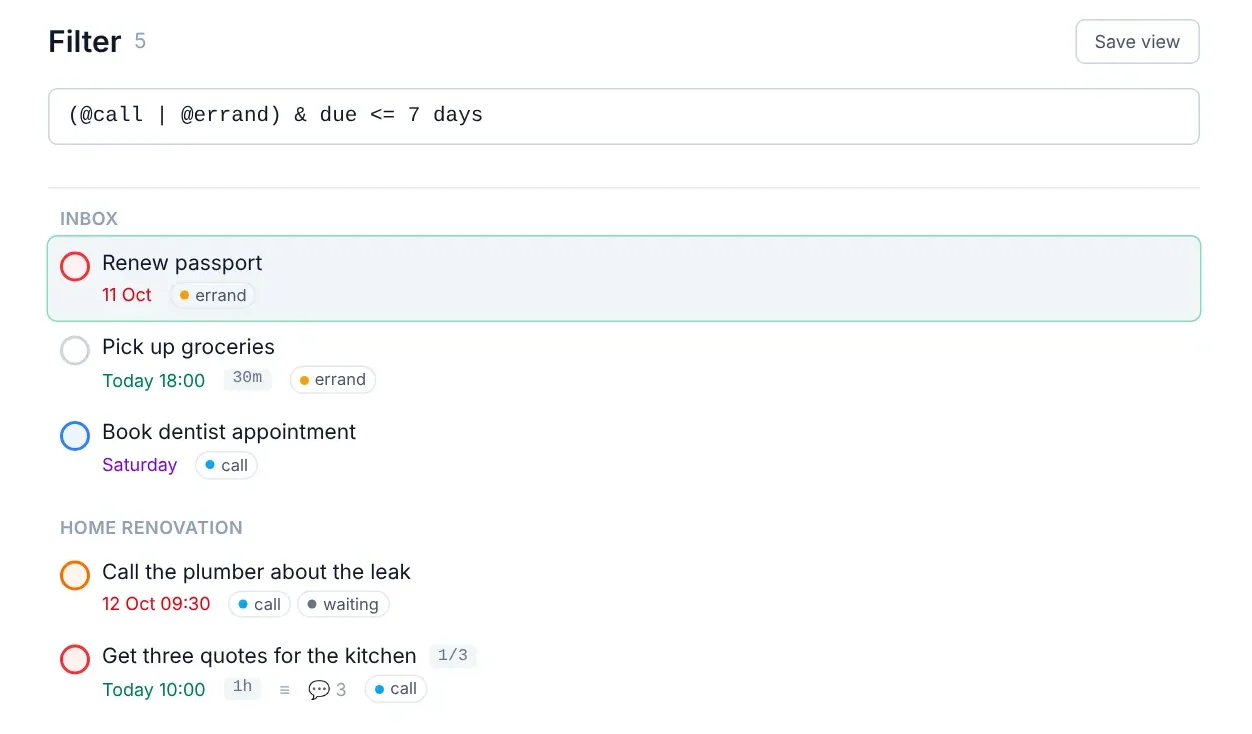
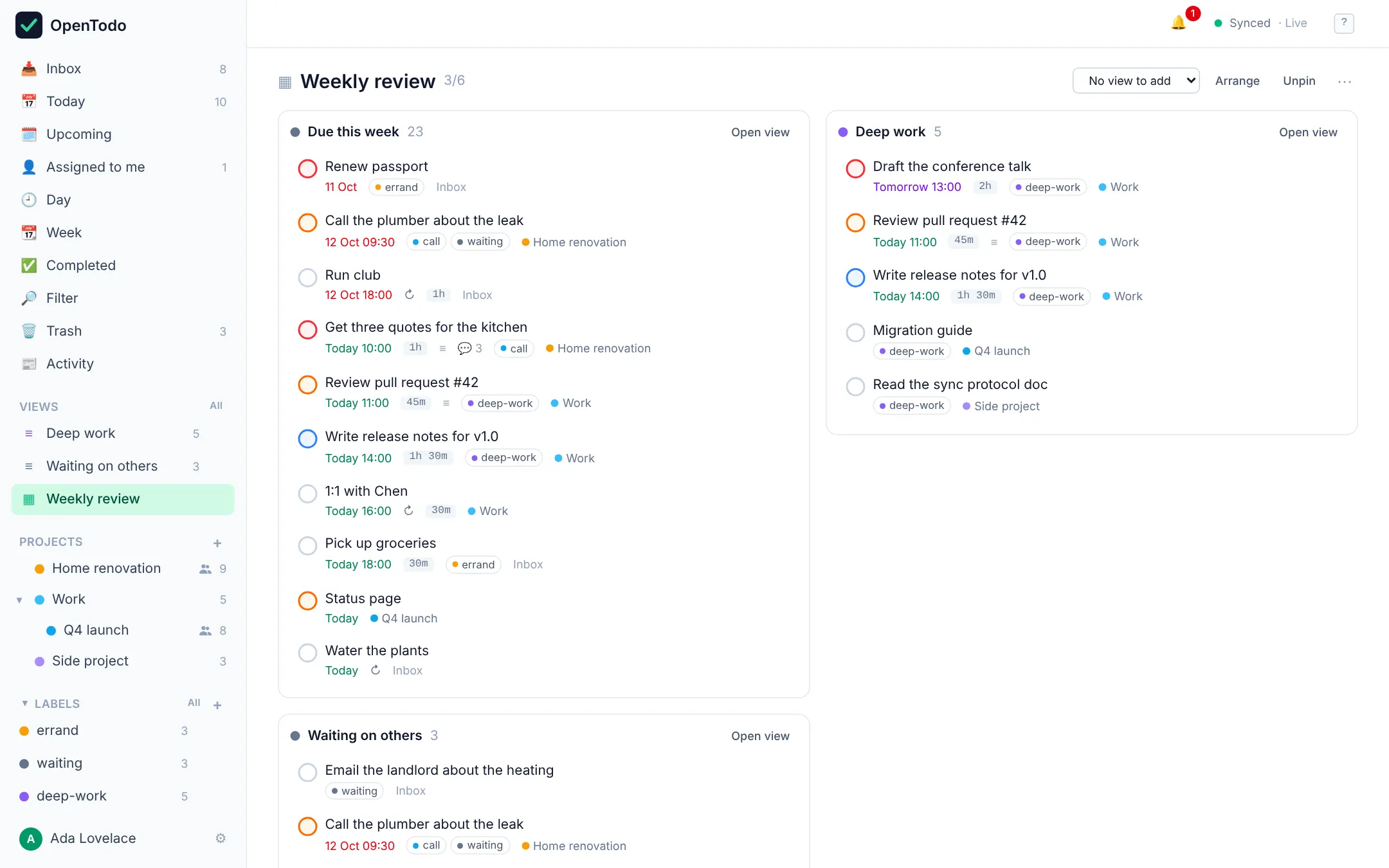
Filters are one-line queries like @work & due <= tomorrow & p1. You can save a query as a view in the sidebar and combine several views into a dashboard.
For time blocking, you give tasks a duration and drag them onto a day or week calendar.
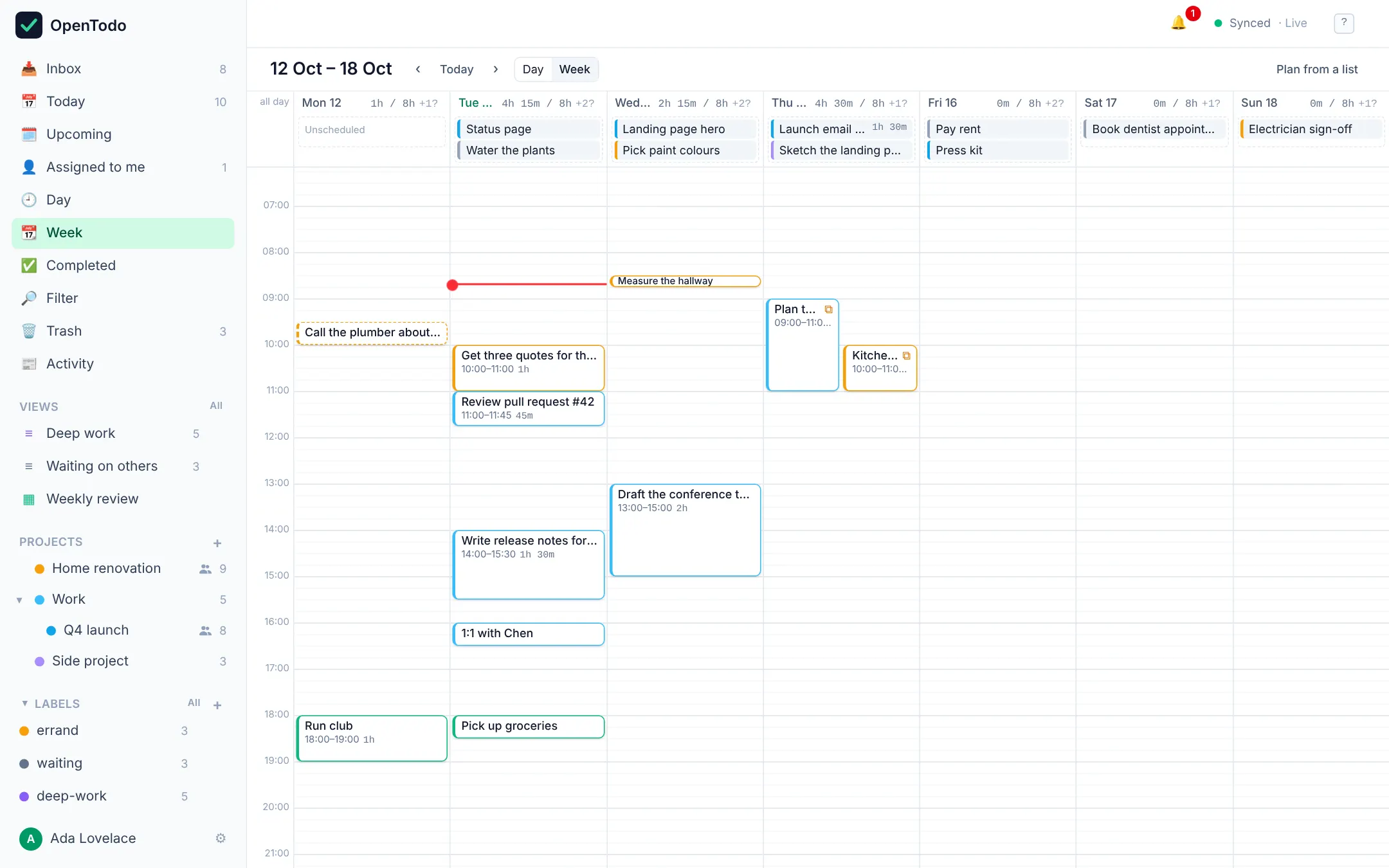
Every device keeps a full copy of your data, so the app works without a connection. When devices are online, changes sync within a second or two. If two devices edited the same task while offline, the edits are merged field by field and you aren’t asked to pick a version.
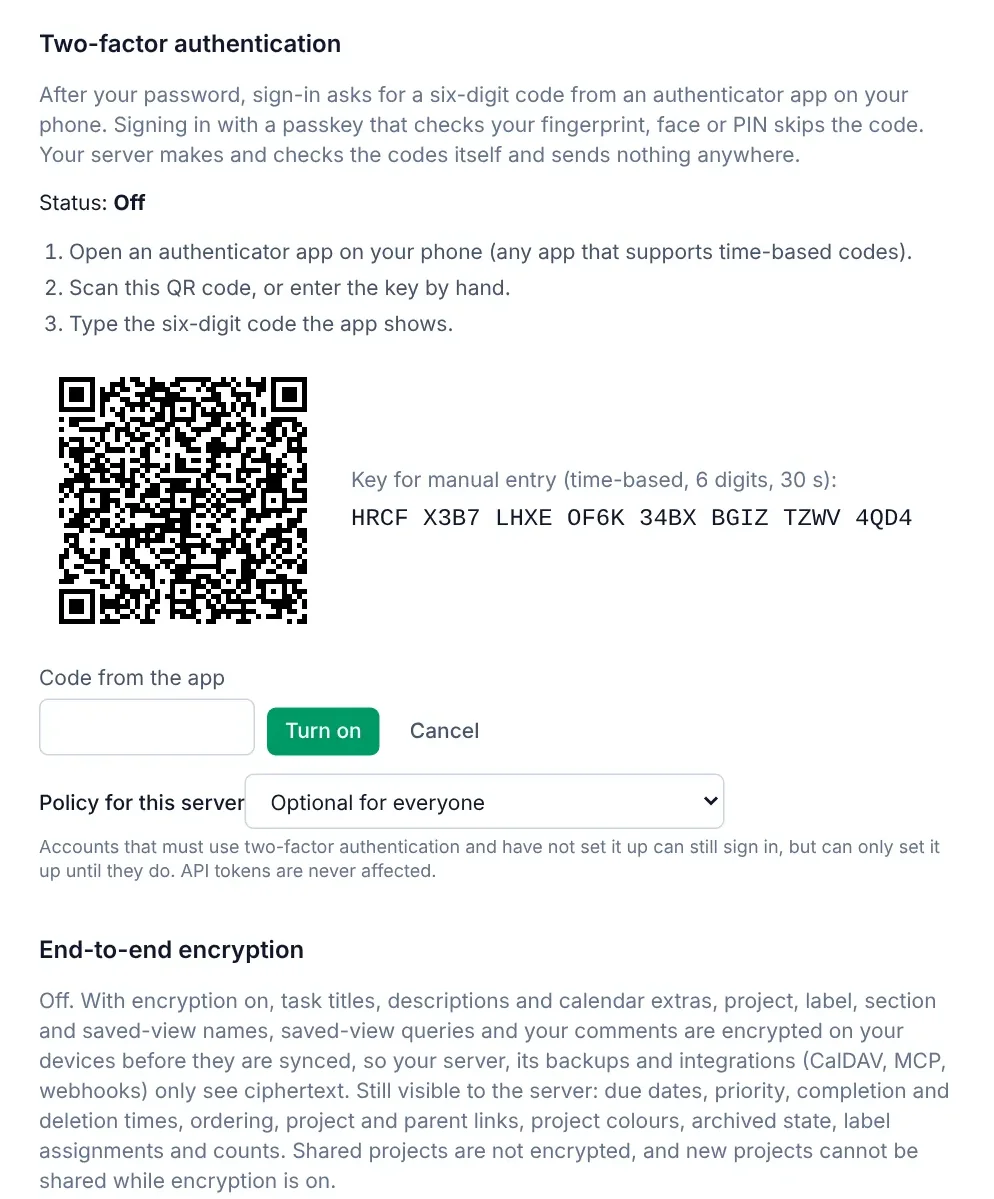
Sign-in supports passkeys, two-factor authentication and single sign-on with your own identity provider. End-to-end encryption is optional: with it on, titles, notes and comments are encrypted on your devices, and the server and the backups only store ciphertext.
It installs as an app on phones and desktops. There are keyboard shortcuts for almost everything (q to add, j/k to move, c to complete) and an optional Vim mode.
Getting your data in and out
All data sits in one /data folder around a single SQLite file, so a backup is a copy of that folder. You can also export everything as JSON from Settings or through the API.
The importer reads OpenTodo’s own export, CSV files and the JSON exports of other task managers. It shows a preview first, skips duplicates and can be undone.
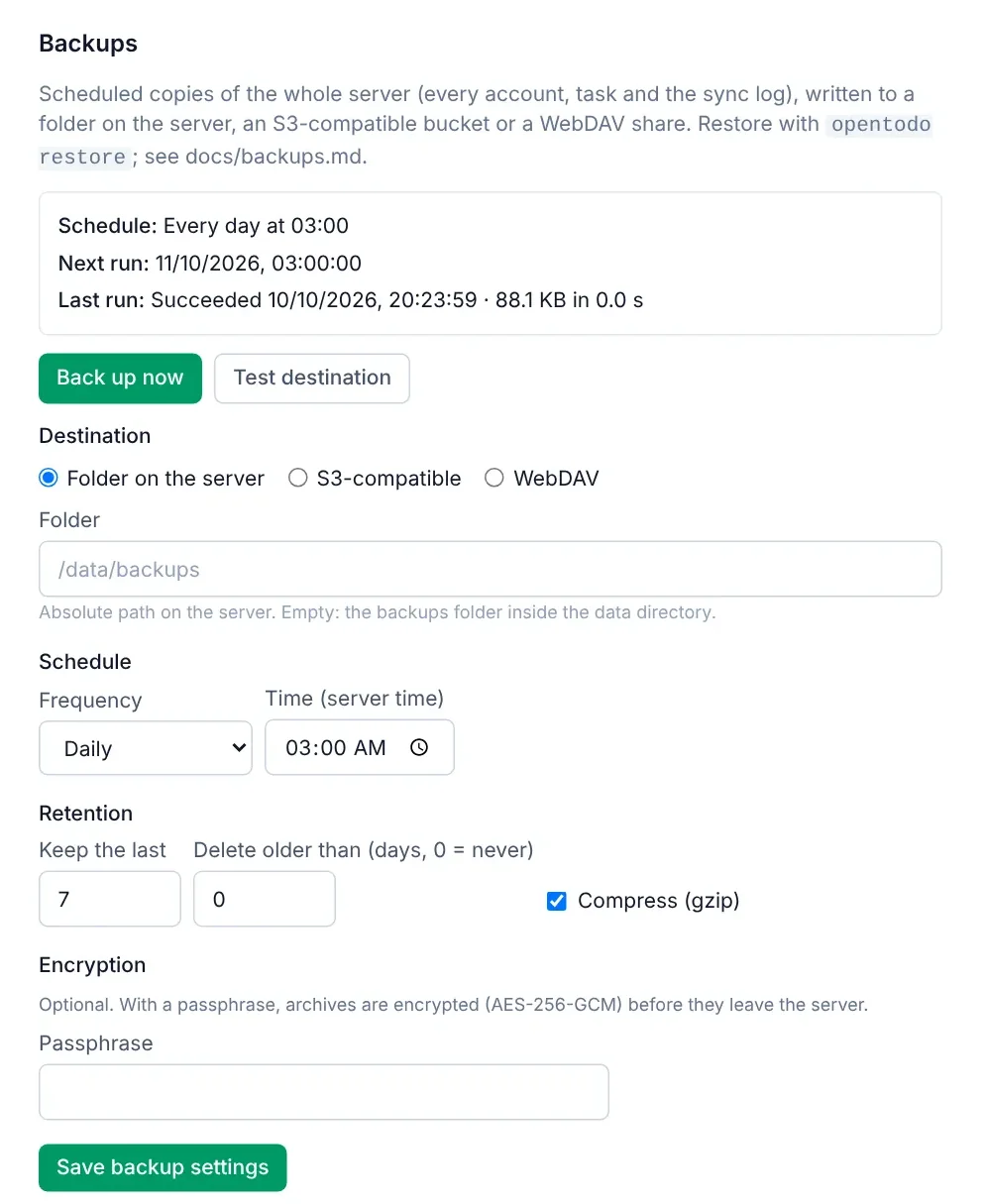
The server can back itself up on a schedule to a local folder, S3-compatible storage or WebDAV, with retention and optional encryption.
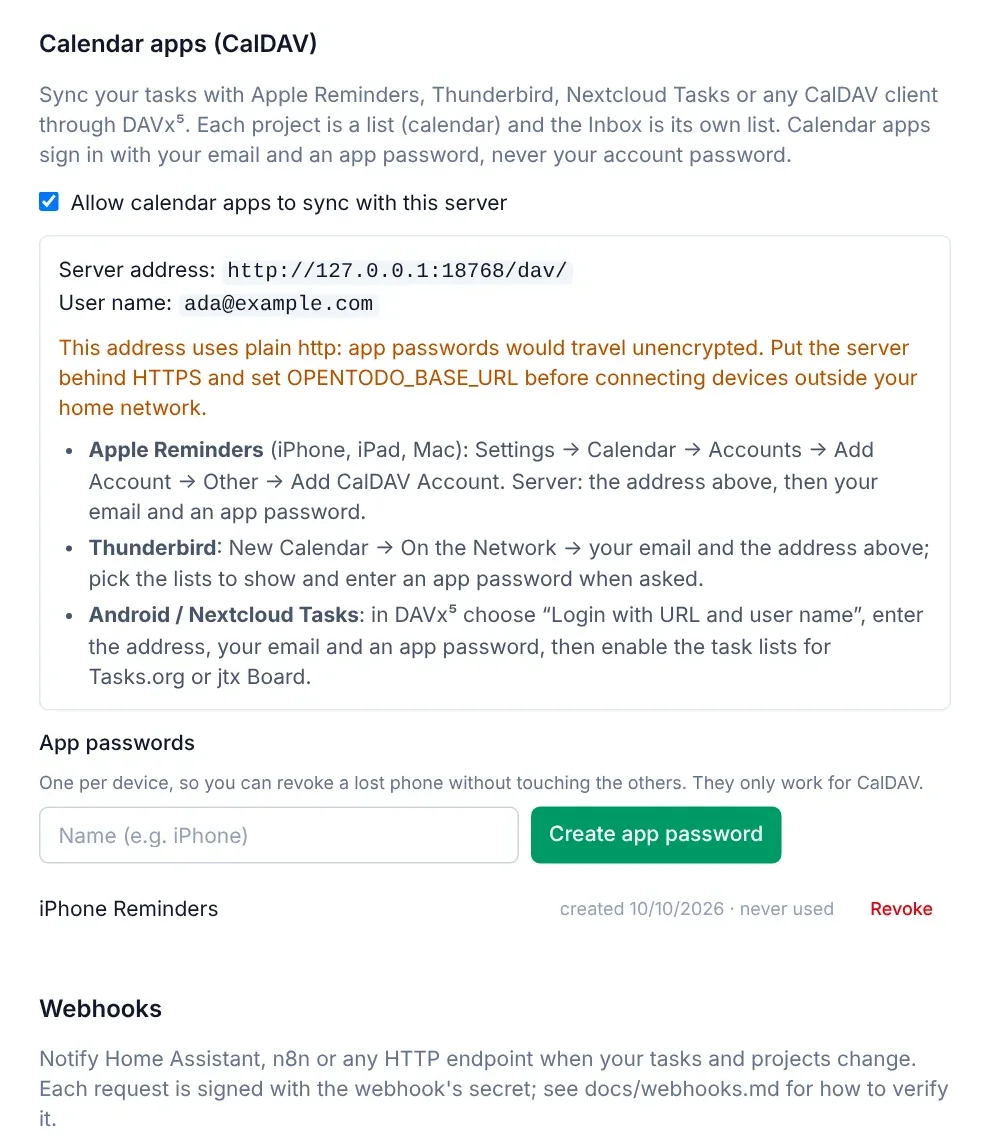
CalDAV gives two-way sync with calendar and reminder apps that support it. There’s a REST API with full or read-only tokens, a command-line client (ot add "Call the plumber" --due tomorrow) and webhooks for automation tools.
There’s no telemetry and no requests to third parties: the server only connects to things you configure. Under the AGPL, anyone who offers a modified version as a service has to publish their changes.
Running it
OpenTodo is a Go server with SQLite, with the web app built into the binary. The binary is about 17 MB and uses around 20 MB of memory when idle. It doesn’t need a separate database or any configuration, and it runs on a Raspberry Pi or a small VPS.
With Docker:
docker run -d -p 8080:8080 -v opentodo:/data ghcr.io/pixari/opentodo:0.1.0Then open http://localhost:8080; the first visit creates the owner account. If you use Coolify, there’s a service template where you only assign a domain. There are also plain binaries for Linux, macOS and Windows.
To look around before installing anything, open the demo. Each visitor gets a private copy with sample data, deleted after a few hours.
Current state
OpenTodo 0.1.0 is a pre-release. Everything on the original roadmap is implemented and covered by automated tests, but some integrations have only been tested against simulated clients so far: CalDAV with specific calendar apps, single sign-on with specific identity providers, and passkeys, push notifications and touch drag and drop on real phones.
If you try it, I’d like to know how it went, especially if something breaks. The call for testers issue is the place for that. If you want to contribute code, the good first issues are a good start. Each feature was specified in the repository before it was built, so the specs explain how things are meant to work.
Links